
Projects
Running & logs
Runnable projects can be started and stopped from Granspace, with live logs.
Start command
A project’s start command (e.g. npm run dev) is set under
Details → Situação. Toggle “Pode iniciar” off for projects you only want
to organize (no start button).
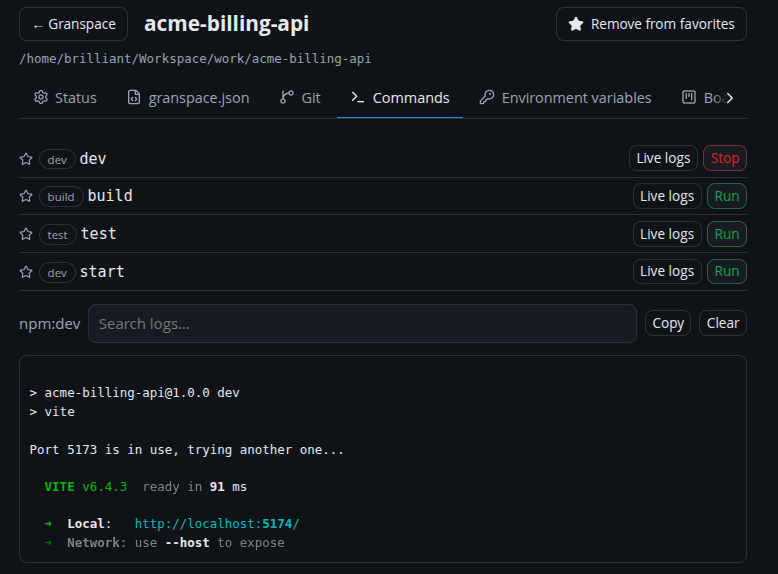
Use Start on the card or in Details. If the start fails because a port is in use, Granspace offers to force-start.
Live logs
While a project runs, its output is captured with ANSI colors preserved. Open Details → Comandos → View logs to see them, and copy them with one click.
Port conflicts
Granspace knows which host ports your projects use and flags conflicts (two projects wanting the same port) with a dashboard banner and, on desktop, a notification.
External runs
If you started a project in a terminal (outside Granspace), Granspace still shows it as running — detected by probing its web-URL port or compose host ports. These show a hollow status dot to distinguish them (Granspace can’t stop a process it didn’t start).
Web URL
Set a web URL (e.g. http://localhost:3000) so the card’s 🌐 quick link and
the “open in browser” action point at the right place.