Projects
Environment & secrets
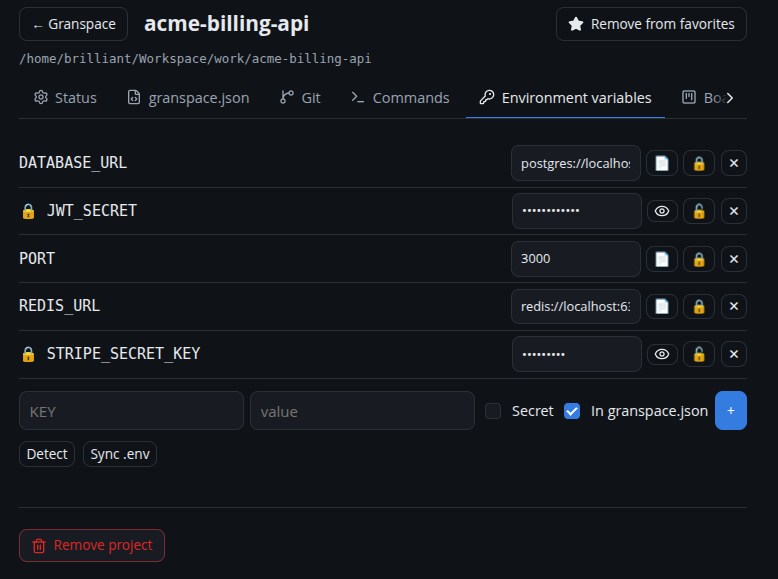
Each project has its own environment variables, managed under Details → Variáveis de ambiente.
Adding variables
Add a KEY and value. Two toggles control how it’s treated:
- Secret — the value is masked in the UI and encrypted at rest (see Encrypted secrets). Reveal it with the eye button (requires the vault unlocked).
- In granspace.json — whether the variable is published to the project’s
granspace.json. Secrets are never written togranspace.json.
You can also declare a key with no stored value (a placeholder that documents that the project needs it, without committing the value).
Detect
Detect scans the project (e.g. a .env.example) and suggests variables you
haven’t added yet.
Sync with .env
Sync .env writes the project’s variables to a local .env file:
DATABASE_URL=postgres://localhost:5432/app
API_KEY=••••••••        # secret — only written when the vault is unlocked
If the .env already exists, Granspace asks before overwriting.