
Projects
Kanban & notes
Every project has its own kanban board and a notes list.
The board
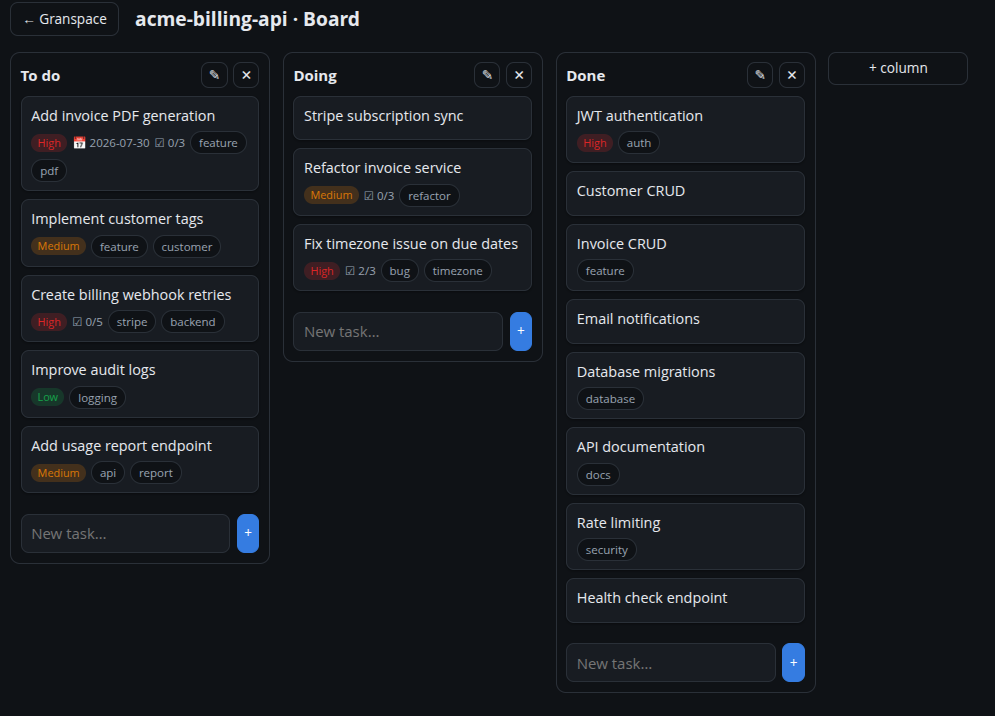
Open Details → Kanban → View all tasks for the full board. It has columns (defaults: A fazer / Fazendo / Feito) that you can rename, add and remove.
- Add a task by typing in a column’s input.
- Drag a task between columns to move it.
- Double-click a column title to rename it.
Task details
Click a task to open its editor, where you can set:
- description,
- priority (low / medium / high),
- due date,
- labels,
- a checklist (with per-item done state).
The card shows a compact summary — priority, due date, checklist progress and labels.
Notes
Separate from tasks, Details → Notas holds free-form notes you can pin. Both tasks and notes are indexed by the global search.