
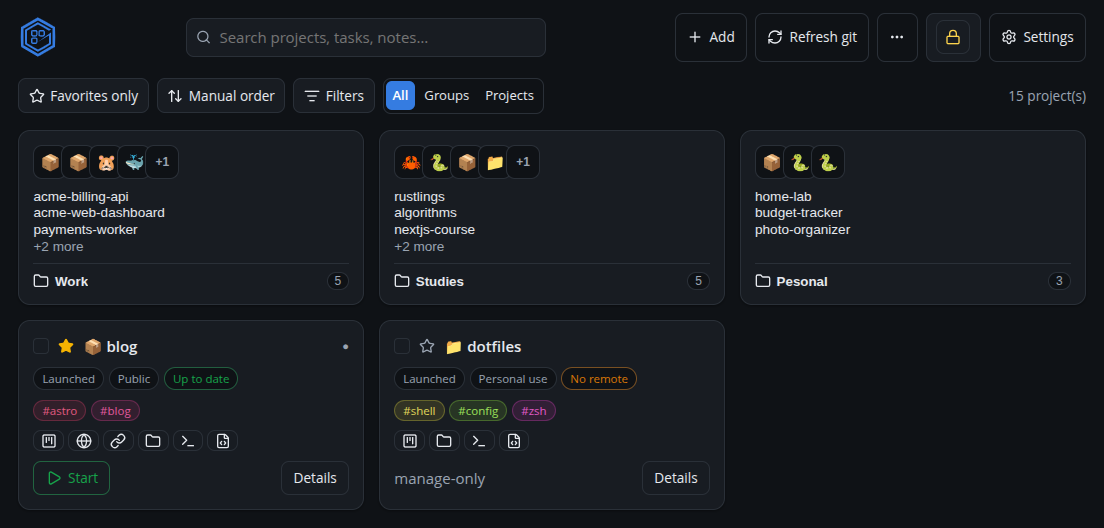
What it does
Discover & track
Find your projects across multiple folders and keep them organized (stage, purpose, tags, notes).
Run & watch
Start/stop projects and named commands with live, colored logs. Port-conflict detection built in.
Kanban & notes
A configurable board per project, with checklists, priorities, due dates and pinned notes.
Git health
See sync state at a glance and run pull / push / commit / stash from the UI.
Encrypted secrets
Per-project env vars, with secrets encrypted behind a master password (with recovery key).
Extensions
Declarative, installable support for more languages/tools — Node, PHP, Python, Go, Rust, Docker and more.
Get Granspace
Getting started
- Download and open Granspace for your OS.
- On first launch, point it at the folder where your projects live — it finds them automatically.
- Organize, run and track. Add a
granspace.jsonto a project so it configures itself on add.